01 / COPY & FILE ACTIONS
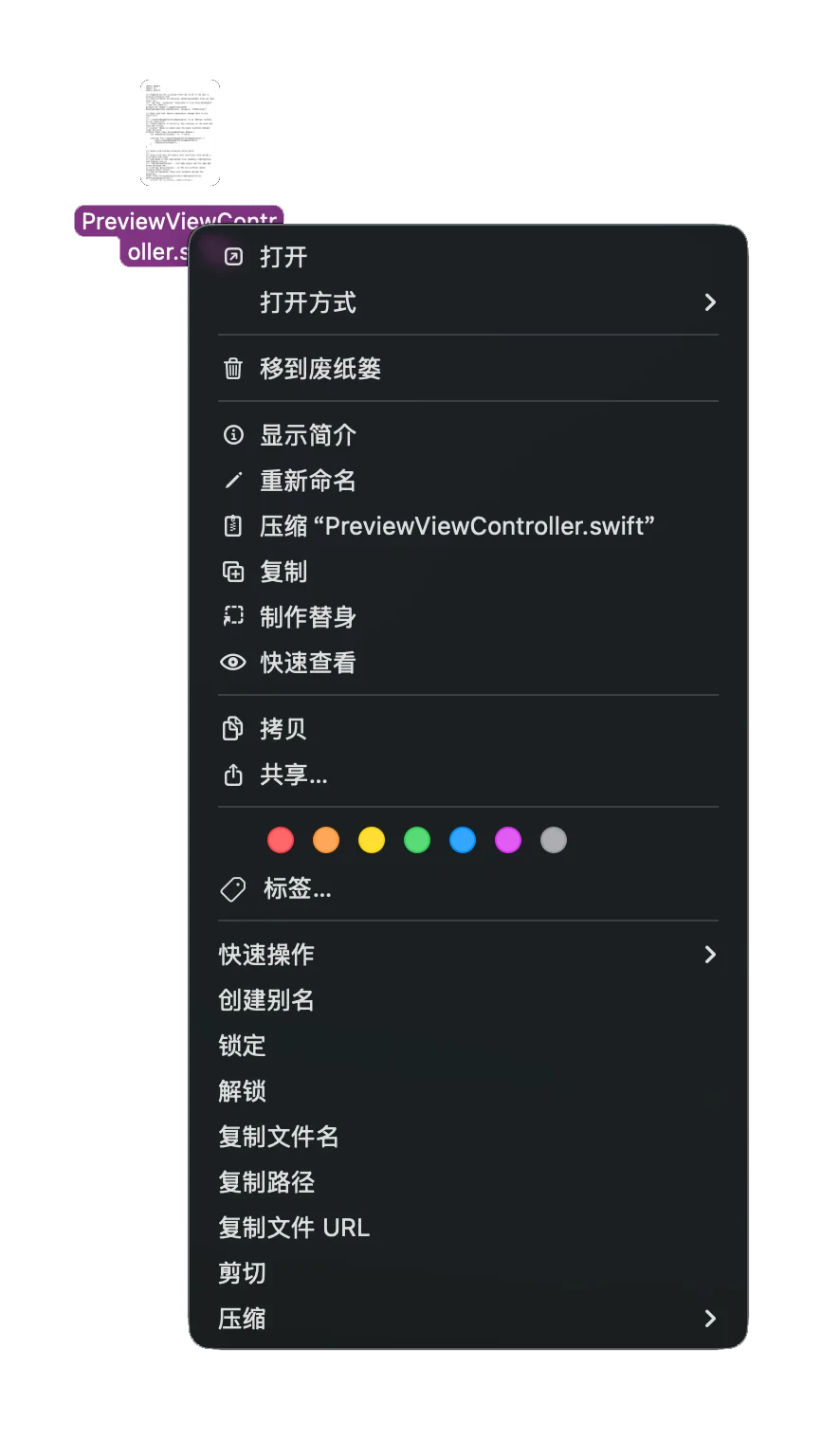
复制文件名、文件路径和本地文件 URL;把常用的复制、移动等操作带到眼前。Copy a name, path or local file URL, and bring common copy and move actions into view.
让 Mac 的右键菜单,更顺手一点。
把常用操作放回触手可及的位置。Make the Mac context menu feel a little more natural.
Put everyday file actions within reach.
常用功能,不必藏在快捷键后面。Useful actions should not hide behind shortcuts.
复制文件名、文件路径和本地文件 URL;把常用的复制、移动等操作带到眼前。Copy a name, path or local file URL, and bring common copy and move actions into view.
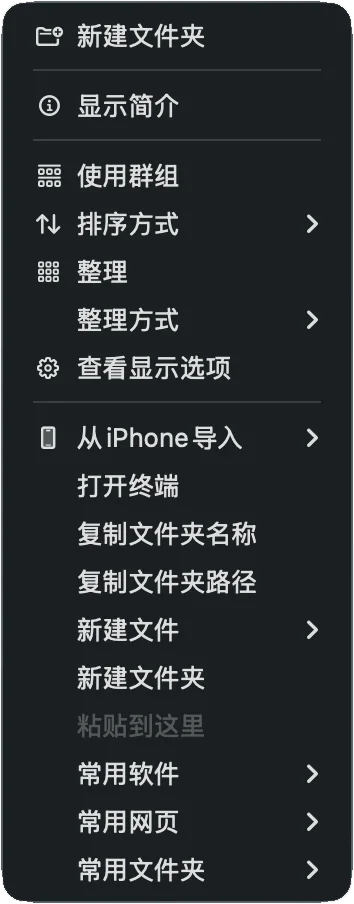
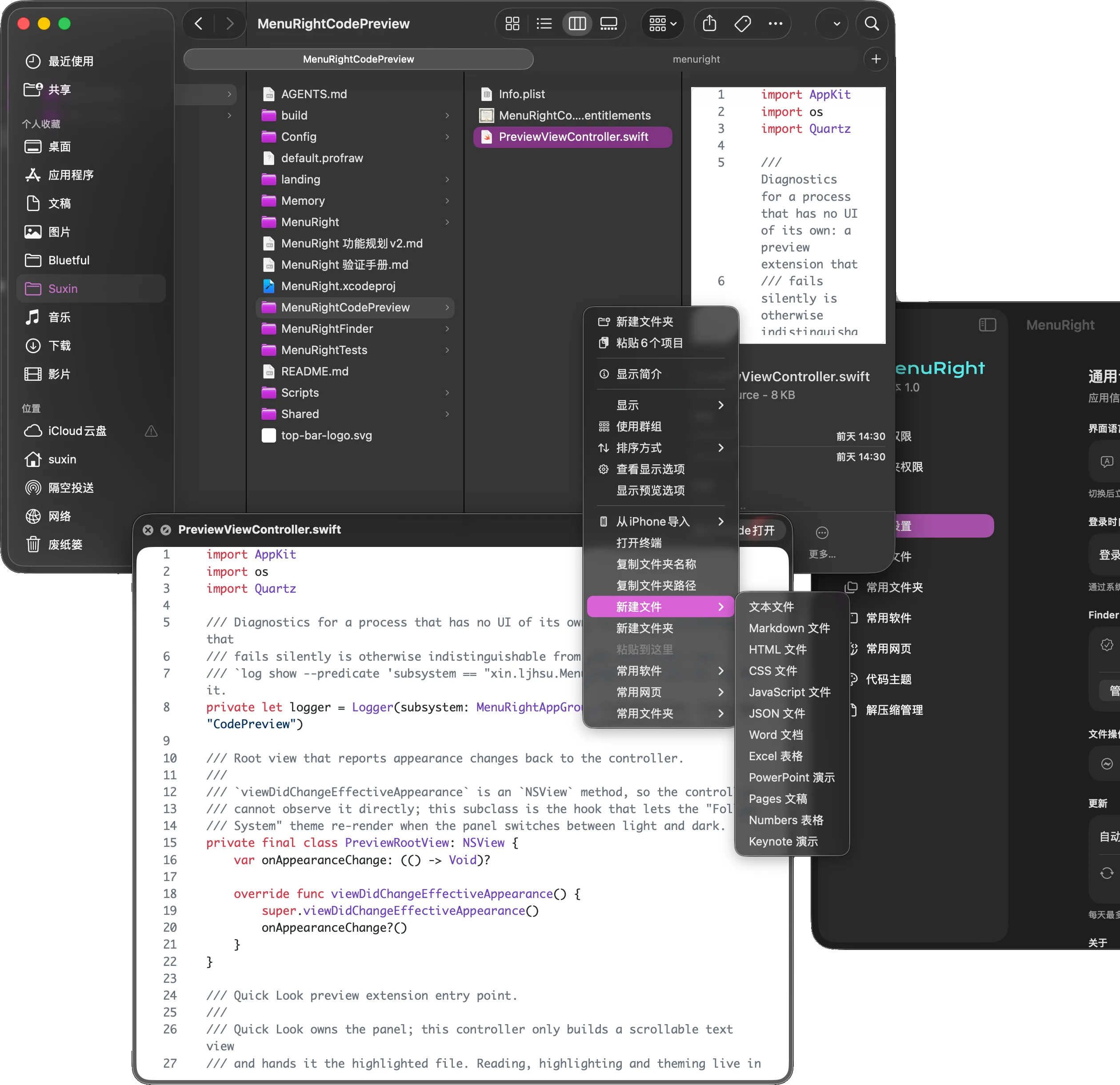
在 Finder 当前目录中直接新建 TXT、Markdown、代码文件,并探索办公文档的创建。Create TXT, Markdown and code files in the current Finder folder, with office documents under exploration.
把常用软件、网页和文件夹设为入口,直接从右键菜单打开。Keep favorite apps, websites and folders in a configurable Finder shortcut menu.
创建快捷方式、锁定文件、在当前目录打开终端,减少重复操作。Create shortcuts, lock files and open Terminal in the current folder.
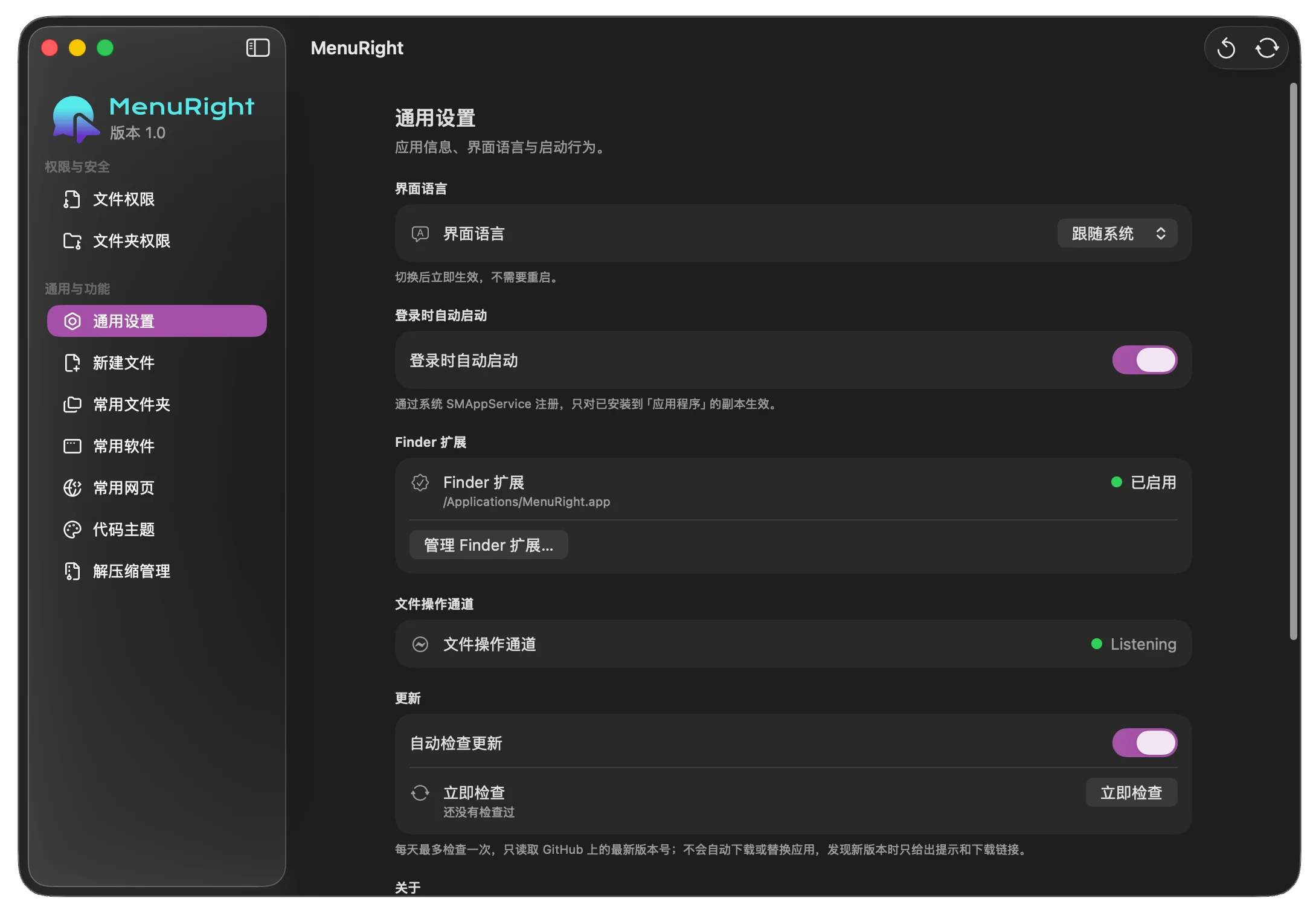
仍在完善中的 macOS 原生效率工具。
围绕 Finder、文件管理与 Quick Look,一点点打磨。A native macOS productivity tool in progress.
Built around Finder, file management and Quick Look.
让功能出现在
需要它的地方。PUT THE ACTION
WHERE IT IS NEEDED.
从 Windows 转到 Mac 后,我发现许多简单的 Finder 操作藏在快捷键里。复制文件路径、移动文件,甚至解压压缩包,都需要一段时间才能熟悉。After moving from Windows to Mac, I found that simple Finder actions often lived behind shortcuts. Copying a path, moving a file or extracting an archive took time to discover.
MenuRight 没有试图重做文件管理器。用户继续在 Finder 中浏览和整理文件,工具只在右键时补上当前需要的操作。MenuRight does not replace Finder. It adds relevant actions at the moment someone right-clicks while browsing and organizing files.
根据当前位置和选中对象展示操作。空白处与文件上的右键菜单各有重点。Show actions that match the current location and selection. Empty space and selected files call for different menus.
常用入口由用户配置,适应不同软件、网页和文件夹的使用习惯。Let people configure the apps, sites and folders they reach for most often.
沿用 Finder 右键与空格预览,不要求用户学习一套新的文件管理流程。Build on Finder's context menu and spacebar preview so the workflow stays familiar.
从设计想法,
走进原生系统开发。FROM A DESIGN IDEA
TO NATIVE DEVELOPMENT.
MenuRight 使用 Swift 开发。AI 辅助编码让我在大约一两天内做出可运行的早期原型,真正的挑战随后才出现。MenuRight is built in Swift. AI assisted coding helped me make an early running prototype in a day or two. The difficult work came afterwards.
FinderSync 扩展、Sandbox 权限、App Group 与进程间通信,决定了菜单如何展示,以及文件任务如何在授权边界内执行。构建成功与实际可靠,是两种不同的验证。FinderSync, Sandbox permissions, App Group and interprocess communication shape how the menu appears and how file tasks run within granted access. A successful build is only the first check.
按下空格,
再多看一点。PRESS SPACE.
SEE A LITTLE MORE.
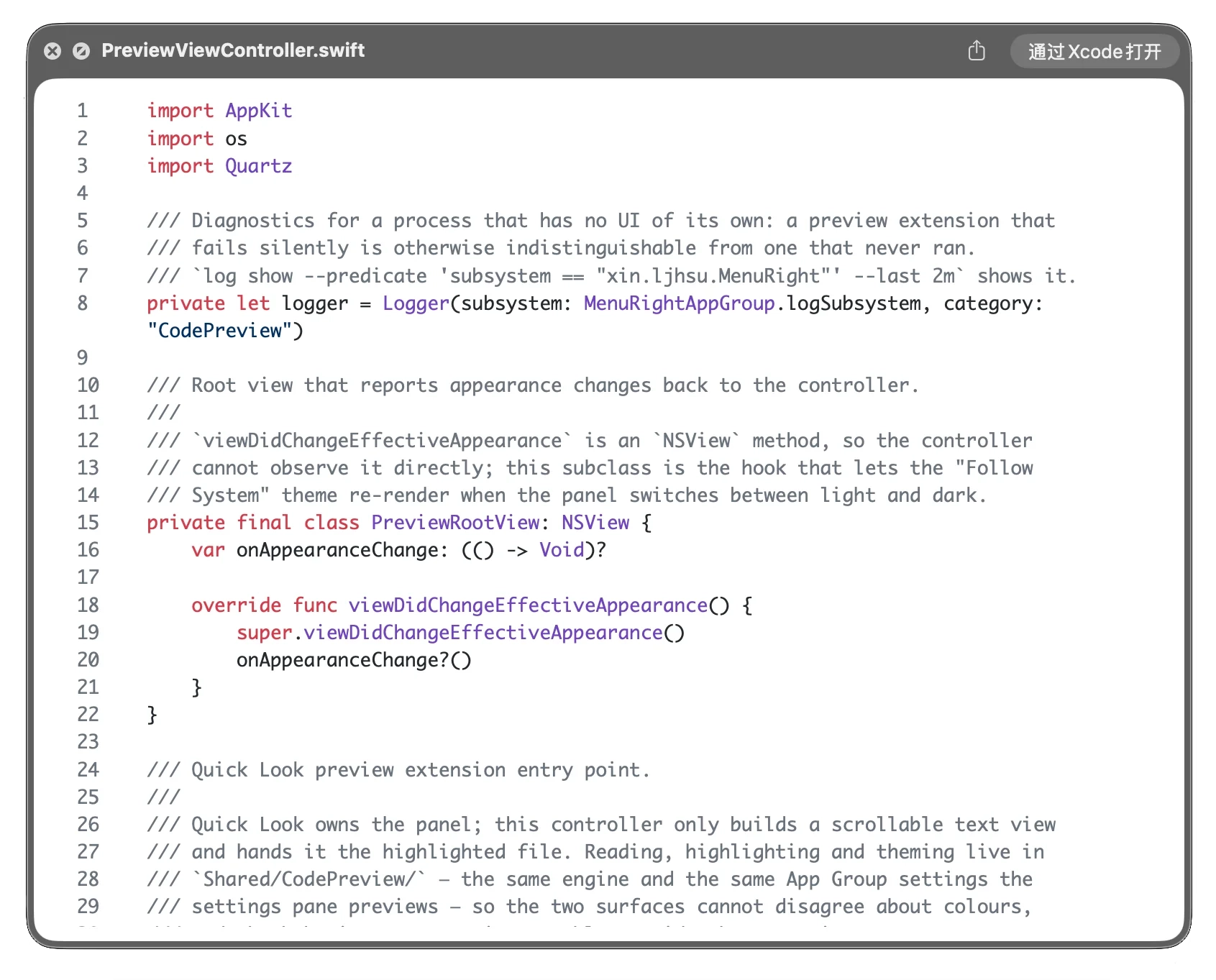
有时只是想看一眼代码,并不想打开编辑器。MenuRight 探索让 Markdown、JSON 和代码文件在系统原有的空格预览里更易读,并尝试语法高亮与主题配置。Sometimes I just want to glance at code without opening an editor. MenuRight explores more readable Markdown, JSON and code previews in the familiar spacebar flow, including syntax highlighting and theme settings.
压缩与解压,
也放进工作流。ARCHIVES, WITHIN
THE SAME FLOW.
我尝试整合常用格式的压缩、解压和加密选项。不同格式的速度、效率与兼容性仍需验证,尤其是加密压缩的原型还有性能和可靠性问题。I explored compression, extraction and encryption options for common formats. Speed, efficiency and compatibility still need testing; encrypted archives in particular have performance and reliability issues in the prototype.
看似普通的系统工具,要真正稳定,还需要大量工程验证。Even an ordinary system utility takes extensive engineering work to become dependable.
快速做出原型,
和持续做好产品,
是两个阶段。A QUICK PROTOTYPE
AND A RELIABLE PRODUCT
ARE DIFFERENT STAGES.
MenuRight 仍在完善中。部分交互、文件权限处理及压缩功能需要继续打磨和验证。这次尝试让我把个人需求、产品构思与原生开发连在一起,也更清楚地认识系统边界。MenuRight remains in progress. Some interactions, file permissions and archive features need more refinement and testing. The project connected a personal need to product design and native development, and taught me more about system boundaries.
早期规划中也曾考虑 Clipboard History,但它没有落地,因此不属于当前功能展示。Clipboard History was considered in early planning but was never implemented, so it is not part of the current feature set.